Wake-up streaks
Build a run of on-time mornings and chase your personal best. Miss a day and you start again — that’s the point.
The snooze-proof alarm
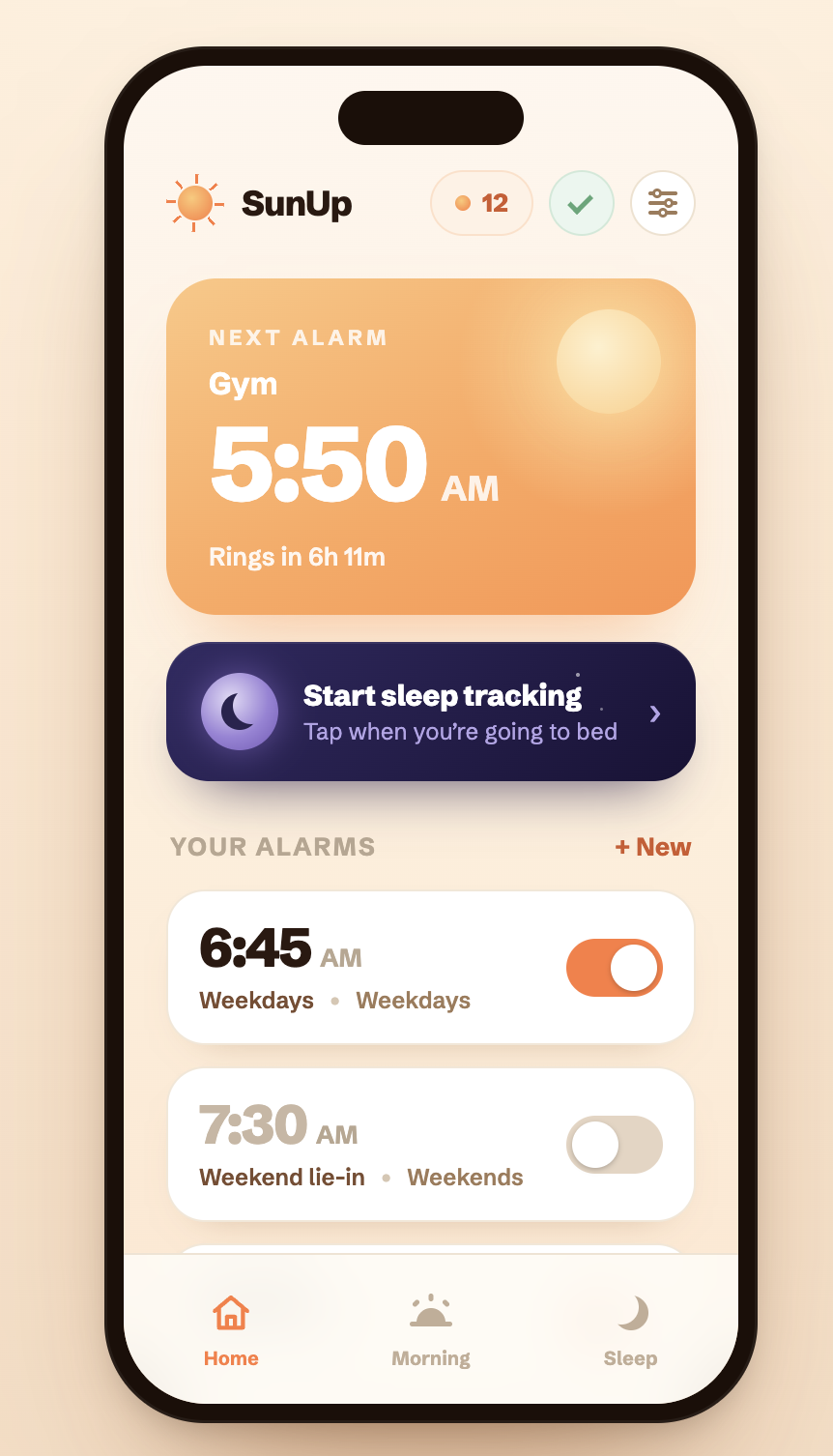
Most alarms fail because dismissing them is too easy. SunUp keeps ringing until you finish a real task — and actually get out of bed.
iPhone · Coming soon to the App Store
How it works
The alarm starts ringing and won’t stop on its own. There’s no snooze and no swipe to dismiss — only a task. Finish it and you’re genuinely awake.
Volume fades in. Slide-to-stop just re-arms it five seconds later.
Scan, solve, type, or play — your choice of seven dismiss tasks.
Log how you feel, keep your streak, and start the morning on your feet.
Place the Sun Dial across the room. When the alarm rings, walk over and tap your iPhone to it. The simplest task of all — stand up and scan.
Solve a few arithmetic problems to clear the alarm. Dial the difficulty from gentle addition up to multiplication that genuinely wakes your brain.
Type a randomized phrase exactly. Miss it and a fresh phrase appears — no muscle-memory shortcut back to sleep.
Find the best move in a real chess puzzle. One wrong move and the puzzle restarts. For the mornings you want to wake up sharp.
Watch a pattern flash, then repeat it from memory. Tougher tiers add more tiles — focus required before the ringing stops.
Answer multiple-choice trivia across categories. Pick your topics and difficulty, and learn something while you get up.
Print a QR code and stick it anywhere — the bathroom mirror, the kettle. Only your code turns the alarm off.
Mornings, measured
Every wake-up becomes a data point. Streaks, how long it took to get up, and how your mood tracks your sleep — all in one warm, glanceable place.
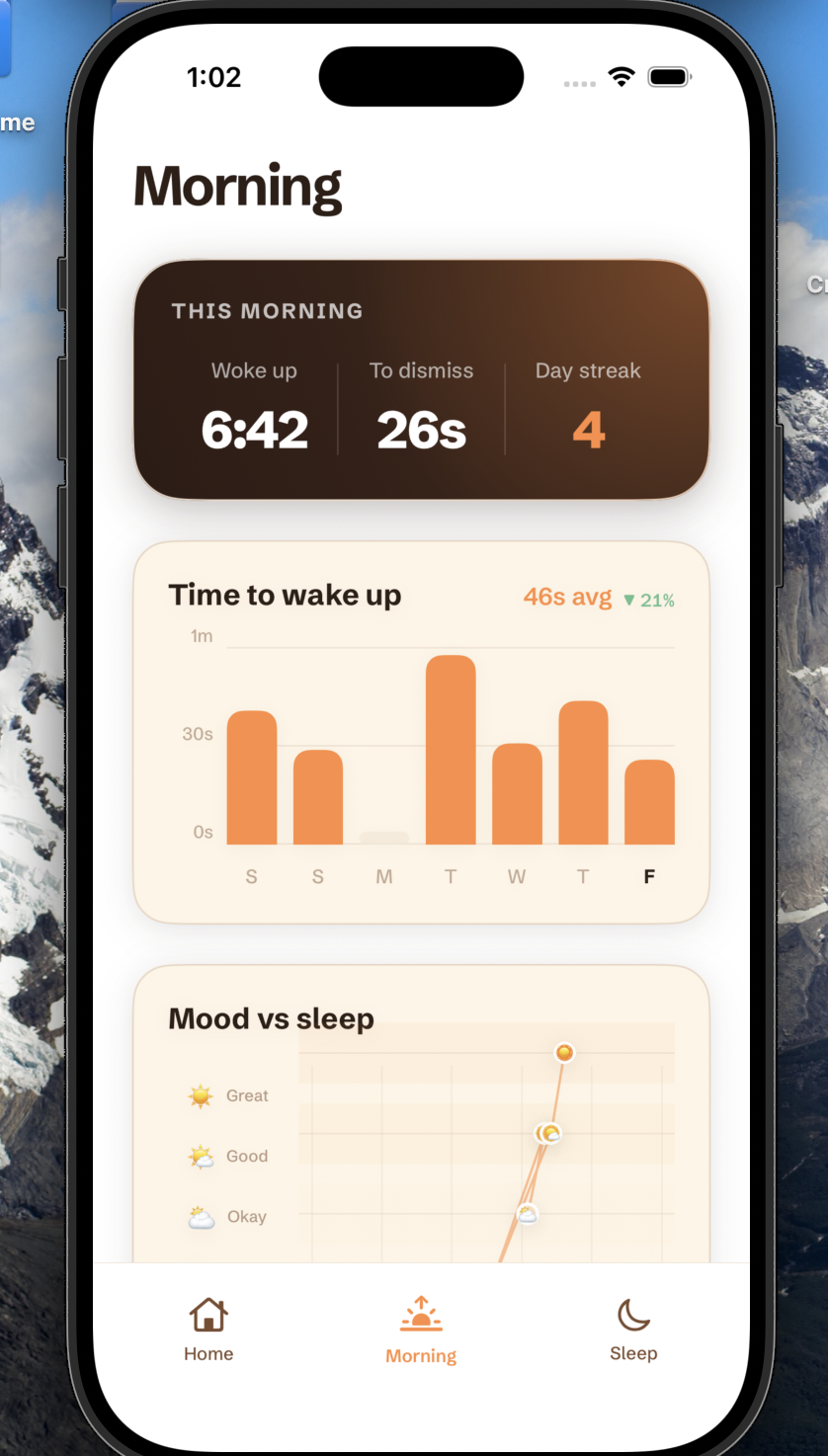
Build a run of on-time mornings and chase your personal best. Miss a day and you start again — that’s the point.
Watch how fast you actually get out of bed trend down, week over week, as the habit sticks.
Log how you feel each morning and SunUp plots it against your sleep — so you can see what a good night really buys you.
Sleep, privately
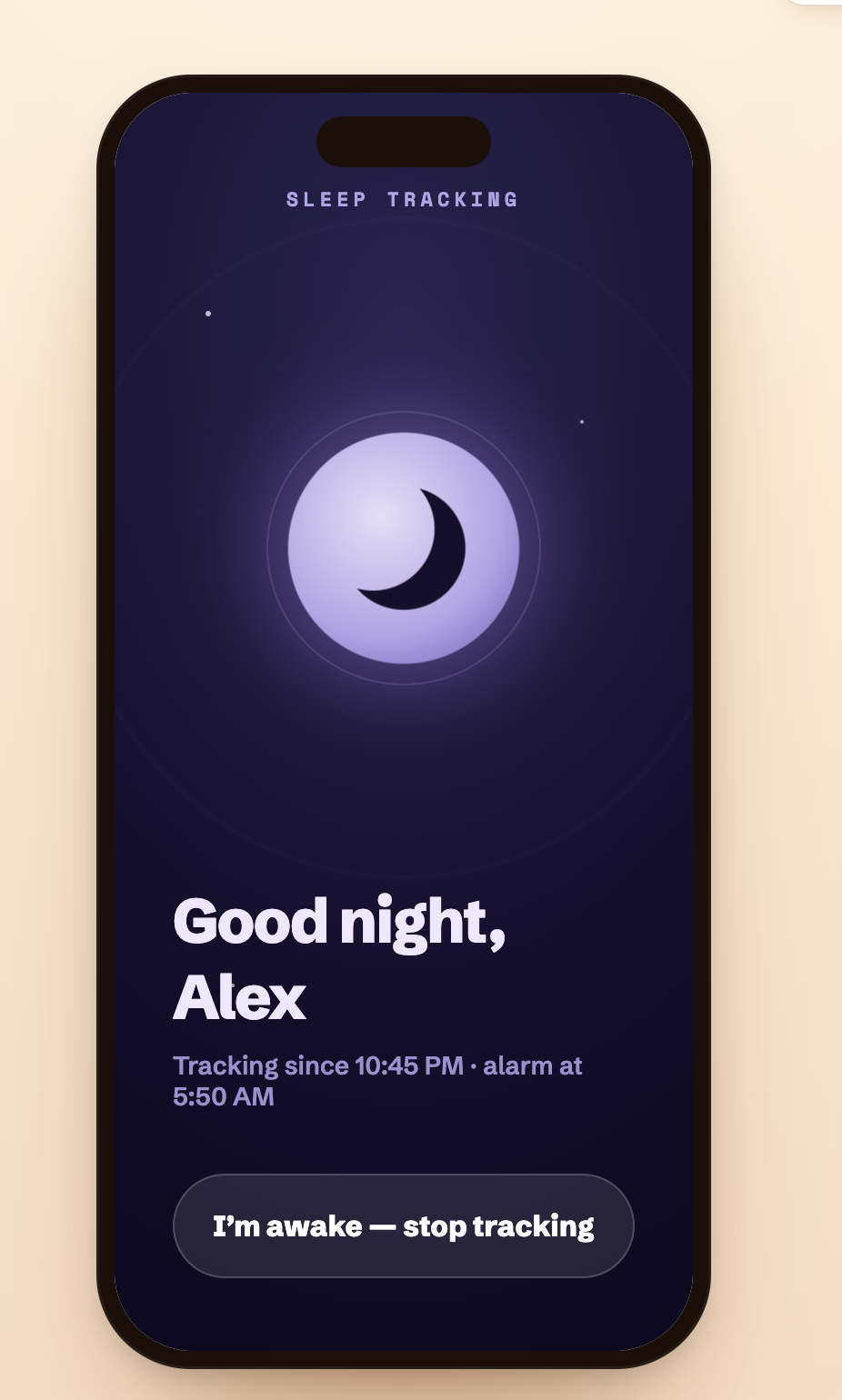
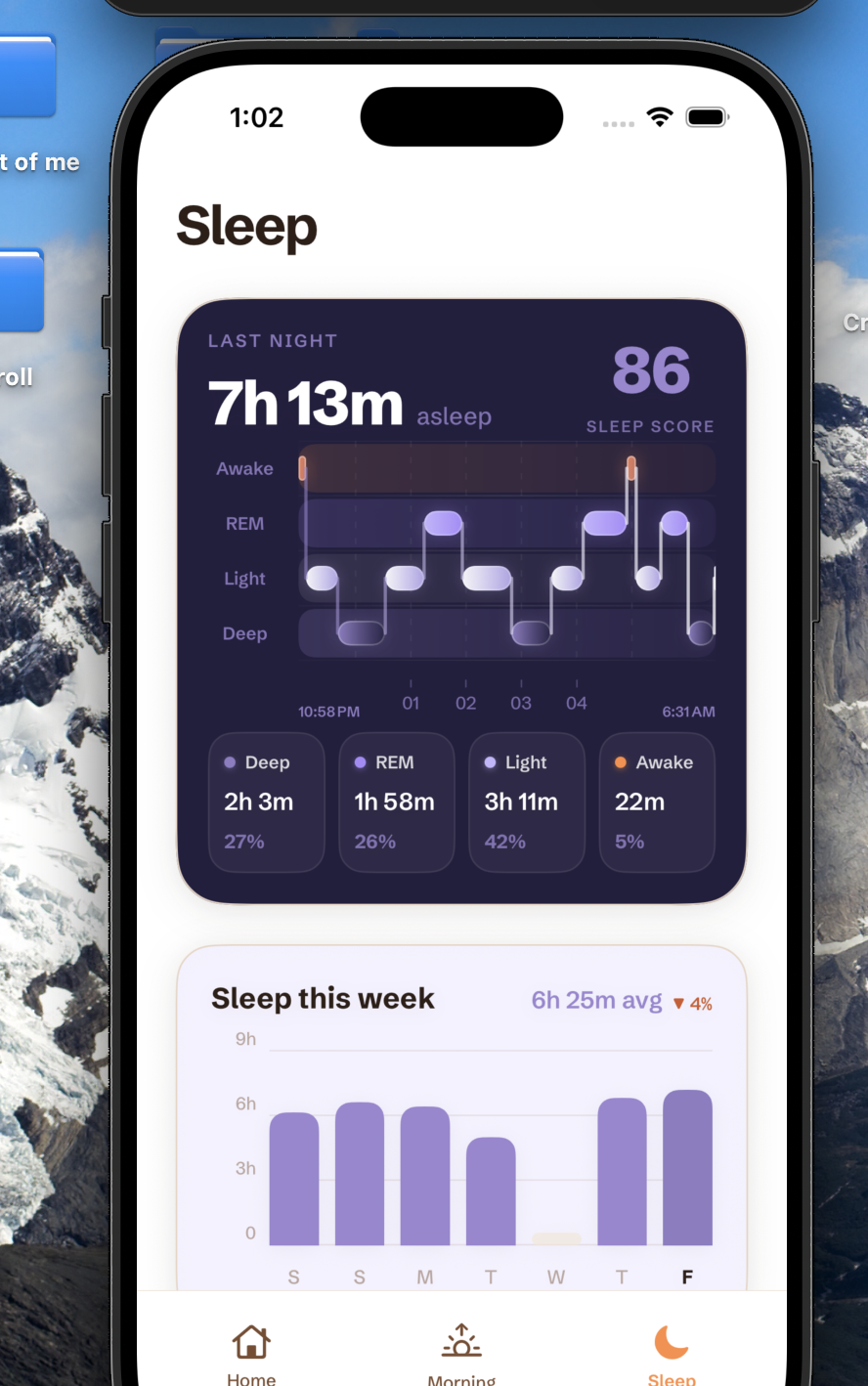
Turn on sleep tracking and SunUp listens for the sounds of your night to estimate your sleep stages — a score, a hypnogram, and weekly trends by morning.
Audio is analyzed on your iPhone and is never recorded, stored as files, or uploaded to a server.
Pricing
Everything you need to stop snoozing is free. Pro unlocks the full toolkit — billed through Apple, cancel anytime.
Beat the snooze with the essentials.
3-day free trial · billed monthly
Add the Sun Dial — a free physical tag with a Pro + Sun Dial plan ($6.99/mo · $24.99/yr), or $19.99 one-time for current Pro members.
Questions
Everything else about getting up with the sun.
Correct. SunUp has no snooze and no swipe-to-dismiss. The alarm keeps ringing — and re-arms itself if you try to slide it away — until you finish your chosen dismiss task. That friction is the whole point: it gets you out of bed instead of negotiating for five more minutes.
No. The Sun Dial is completely optional. You can dismiss alarms with math, a typed phrase, a chess puzzle, a memory game, trivia, or a printed QR code. The Sun Dial just adds the most physical task of all — getting up and walking across the room to scan it.
When you enable sleep tracking, SunUp uses your iPhone’s microphone to analyze the sounds of your night and estimate your sleep stages. All analysis happens on your device — audio is never recorded, stored as files, or uploaded to any server.
Yes. The free version includes one alarm, the Math and Type-a-phrase dismiss tasks, a basic morning summary, and bedtime reminders. SunUp Pro unlocks unlimited alarms, all seven dismiss tasks, sleep history and trends, widgets, custom sounds, and advanced insights.
Pro is $4.99/month or $14.99/year with a 3-day free trial. It’s billed through your Apple ID, and you can cancel anytime in iOS Settings → Apple ID → Subscriptions.
SunUp is built for iPhone. It’s launching soon on the App Store — pre-order the Sun Dial now and you’ll be among the first up with the sun.
Up with the sun
Join the mornings that start on your feet. SunUp is coming soon to the App Store — and the Sun Dial is open for pre-order today.
iPhone · Coming soon to the App Store